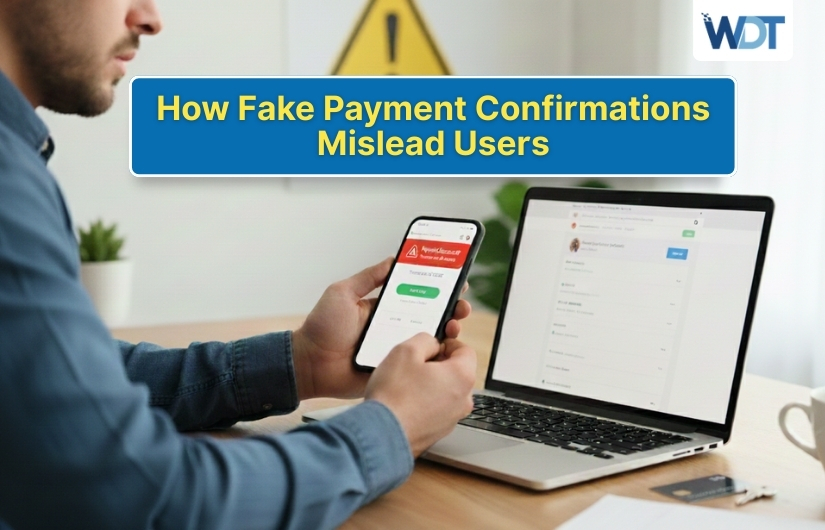
Online payments have become quick and routine, which is exactly why fake payment confirmations are so dangerous. Most people trust confirmation messages without a second thought because they expect them after making a purchase or transfer. Criminals take advantage of this trust by sending fake payment confirmations that look real but hide scams underneath. These messages can make users believe a payment was successful, failed, or needs urgent action. The result is confusion, financial loss, or stolen personal data. Understanding how fake payment confirmations work helps you pause, verify, and avoid being misled when something looks official but isn’t.
What Are Fake Payment Confirmations?
Fake payment confirmations are messages or screens that claim a transaction has been completed, failed, or is pending when it actually hasn’t happened at all.
They may appear as emails, text messages, app notifications, or on-screen pop-ups. These confirmations often mimic banks, payment apps, or online stores.
The goal is to control what the user believes happened. Once trust is established, scammers guide the user toward the next harmful step without raising suspicion.
Why Users Trust Payment Confirmations So Easily
Payment confirmations usually appear at moments when users expect them. This timing lowers suspicion and increases trust automatically.
Most people associate confirmations with relief or completion. Seeing a “Payment Successful” message reassures them that everything is done.
Criminals rely on this emotional response. By matching the look and timing of real confirmations, they slip past logical checks and keep users from verifying details.
Common Types of Fake Payment Confirmations
Fake confirmations come in several forms, each designed for a different outcome.
- Fake success messages after no real payment
- Fake failure alerts asking users to retry
- Fake refunds or reversals
- Fake pending payment notices
Each type pushes users toward clicking links, sharing details, or making additional payments.
How Fake Payment Confirmations Look Legitimate
Scammers spend time copying real confirmation designs. They use official logos, familiar colors, transaction IDs, and professional language. Some even include timestamps and reference numbers.
Many fake confirmations closely resemble real ones, especially on mobile screens. Small details like sender addresses or spelling errors are often the only clues that something is wrong.
Psychological Tricks Behind Fake Confirmations
Fake payment confirmations succeed because they target human emotions rather than technical weaknesses. Scammers design these messages to feel familiar, urgent, and trustworthy, which makes users react quickly instead of stopping to verify the information.
Relief Through Completion
When users see a message saying a payment was successful, they feel a sense of completion. This relief makes them assume everything is done, so they stop checking receipts, transaction history, or bank statements.
Fear Through Warning Messages
Fake alerts about failed payments or account issues create fear. These warnings make users panic, and in that moment of stress, they are more likely to follow instructions without thinking carefully.
Urgency Through Time Pressure
Scammers add urgency by saying the issue must be fixed immediately. Short deadlines push users to act fast, leaving little time to question whether the confirmation is real.
Authority Through Trusted Branding
Messages often appear to come from well-known banks or payment apps. This sense of authority builds instant trust and lowers the chance that users will doubt the message.
Confusion Through Technical Language
Complicated or technical wording makes users feel unsure. When confused, many people stop asking questions and simply follow the instructions given.
How Fake Payment Confirmations Lead to Scams
Fake confirmations are rarely the end of the scam. They are usually the middle step.
A “payment failed” message may lead to a fake retry page. A “successful payment” may hide that money was sent to a scammer.
Some confirmations include links to “view receipt” or “resolve issues.” Clicking those links often exposes users to phishing pages or malware.
Fake Payment Confirmations in Emails and Messages
Email and text messages are common delivery methods for fake confirmations. Scammers send messages that look like official receipts or alerts. The subject line often includes words like “Confirmed,” “Completed,” or “Action Required.”
Because people expect payment emails, they open them quickly. This makes email-based fake confirmations highly effective and widely used.
Fake Payment Confirmations Inside Apps and Websites
Some fake confirmations appear directly on websites or inside fake apps. These screens appear after users enter payment details. A loading animation followed by a confirmation message feels real and convincing.
In reality, the payment never went through a secure system. The confirmation is only there to hide the theft of sensitive information.
Warning Signs of Fake Payment Confirmations
Even realistic confirmations often leave clues.
- No matching transaction in your bank account
- Generic greetings instead of your name
- Links that redirect to unfamiliar sites
- Pressure to act immediately
Spotting these signs early can prevent further damage.
Why Fake Confirmations Often Show Errors Later
Many fake confirmations are followed by error messages. Scammers use delayed errors like “Payment pending” or “Verification needed” to keep users engaged. This allows them to extract more information.
By the time users realize something is wrong, the scammers have already collected what they need and disappeared.
The Role of Timing in Payment Confirmation Scams
Timing is critical in these scams. Fake confirmations often arrive immediately after a real purchase attempt or login. This makes them feel connected to a real action.
Some scammers trigger confirmations randomly, hoping they match recent activity. Even when timing is off, urgency can still override doubt.
What Happens After Users Believe a Fake Confirmation
Once users trust a fake confirmation, scammers escalate the scam. They may request additional payments, personal details, or verification codes. Some redirect users to fake support agents.
In other cases, users stop checking their accounts, believing everything is fine. This delay allows criminals more time to misuse stolen information.
How to Verify Real Payment Confirmations
Verification is the safest habit. Always check your bank or payment app directly instead of relying on messages. Type the official website address yourself. Real confirmations appear in account histories. If a transaction is missing there, the confirmation is likely fake.
Steps to Protect Yourself from Fake Payment Confirmations
Strong habits reduce risk significantly.
- Enable transaction alerts from your bank
- Avoid clicking confirmation links
- Double-check sender addresses
- Keep apps and devices updated
These steps make it harder for fake confirmations to succeed.
What to Do If You Trusted a Fake Confirmation
If you suspect a fake confirmation, act quickly. Contact your bank or payment provider immediately. Change passwords linked to financial accounts.
Monitor statements closely for unusual activity. Quick action can reduce losses and prevent further misuse.
Why Awareness Matters More Than Technology
While security tools help, scammers constantly adapt. Fake payment confirmations are designed to look normal and bypass filters. Human awareness remains the strongest defense. Knowing how these scams work gives you confidence to pause, question, and verify before reacting.
Conclusion
Fake payment confirmations mislead users by copying the look, timing, and language of real transactions. They exploit trust, urgency, and routine behavior to hide scams in plain sight. While these confirmations can be convincing, they often leave small clues for careful users. By verifying payments directly, avoiding rushed actions, and staying alert, you can protect yourself from being misled. In a world of instant payments, slowing down for a moment is often the smartest move.
FAQs
1. Why do fake payment confirmations feel so convincing?
They copy real designs, arrive at expected moments, and use familiar language. This combination makes users trust them without checking details carefully.
2. Can fake payment confirmations appear after real purchases?
Yes, scammers often send messages to match recent activity. This makes fake confirmations feel connected to something you just did online.
3. Is it safe to click links in payment confirmation messages?
It’s safer to avoid links entirely. Always check payments by opening your bank or payment app directly through official sources.
4. What should I check first if I suspect a fake confirmation?
Check your bank or payment account transaction history. If the payment doesn’t appear there, the confirmation is likely fake.
5. Do fake payment confirmations only target online shoppers?
No, they target anyone using digital payments, including bill payments, subscriptions, transfers, and mobile wallet users.