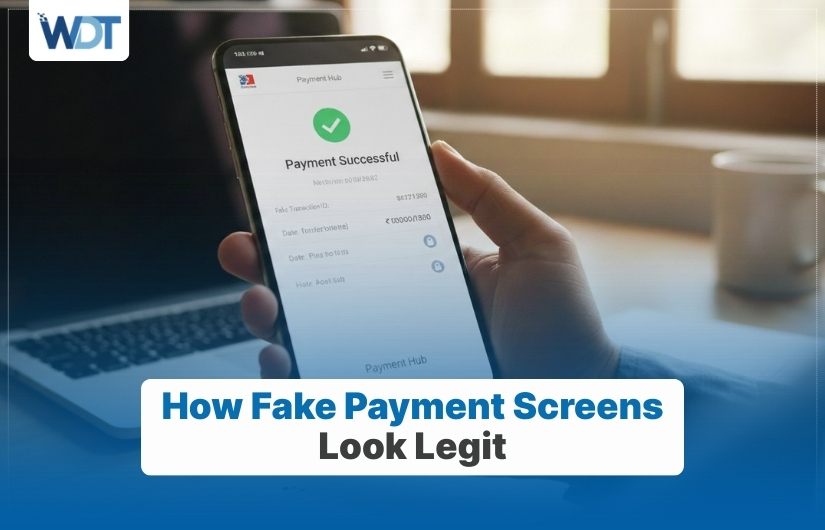
Online payments feel quick and familiar. People tap a button, see a success message, and move on. Criminals understand this habit very well. They design fake payment screens that copy real ones so closely that most users do not stop to question them. These screens appear during shopping, refunds, transfers, or app payments. They show logos, order numbers, and confirmation messages that feel normal. When users trust what they see, they relax. That moment of trust allows criminals to collect card details, login data, or money without raising an alarm.
Why Fake Payment Screens Work So Well
Fake payment screens succeed because they copy what users expect to see. People rarely study payment confirmations closely. They look for a green tick, a success line, or a transaction number. When those appear, the brain accepts the result. Criminals rely on this habit and repeat the same visual patterns seen on real apps and sites.
Another reason involves timing. These screens often appear right after a user clicks “Pay” or “Confirm.” The action feels complete, so doubt fades. Users move forward without checking bank alerts or app history. This delay gives criminals time to act or disappear before the victim notices something wrong.
Visual Elements That Create Trust
These visual details make fake payment screens feel familiar and safe at first glance.
Familiar Logos and Colors
Fake screens often copy brand logos, color themes, and layout styles. When a screen looks similar to a known payment app, users feel safe without checking details.
Realistic Transaction Details
Order IDs, dates, amounts, and reference numbers appear very real. These details reduce suspicion and make the screen feel official.
Clean and Simple Design
Fake screens avoid clutter. A clean design feels professional and calm, which lowers user doubt.
Success Messages That Reassure
Messages like “Payment Completed” or “Transaction Successful” create relief. That emotion stops users from checking further.
Progress Animations
Loading bars or spinning icons mimic real processing screens and make the payment feel genuine.
How Fake Screens Appear During Payments
Fake payment screens do not always replace real ones. Sometimes they appear through links sent by messages or emails. Other times, they load inside fake apps or copied websites. Once the user enters card details or taps confirm, the fake screen appears instantly.
In some cases, criminals use screen overlays. These sit on top of real apps and block what is happening underneath. Users believe the payment went through, while no real transaction occurred. Since the screen looks normal, victims do not check their bank app right away.
Common Places Users Encounter Fake Payment Screens
Fake payment screens show up in many everyday situations. Criminals target moments when users expect payments or refunds. Common places include:
- Online shopping checkout pages
- Refund or cashback claims
- Ticket booking and travel sites
- Peer-to-peer money transfer links
These situations already involve trust and urgency. Users focus on completing the task, not verifying the screen.
Why Users Miss the Warning Signs
Many users feel confident with online payments. Repetition builds comfort. When something looks familiar, the brain stops questioning it. Fake payment screens copy this familiarity well. Users also trust devices they use daily, which reduces alertness.
Another factor involves distraction. People often pay while multitasking. They may be watching videos, chatting, or rushing. In such moments, they glance at the screen instead of reading carefully. Criminals rely on speed and habit to succeed.
Differences Between Real and Fake Payment Screens
A few small checks can help you tell whether a payment screen is genuine or not.
Missing Bank or App Alerts
Real payments usually trigger instant alerts from banks or apps. Fake screens do not.
No Record in Payment History
Checking the transaction list often shows nothing after a fake payment.
Unusual Website Addresses
Fake screens often load from links with odd spellings or extra characters.
Forced Redirection
Some fake screens push users to another page quickly to stop further checking.
Requests for Extra Details
Real payment screens do not ask for full card details again after payment.
How Fake Payment Screens Lead to Bigger Losses
Fake payment screens rarely act alone. Once criminals collect card or login details, they may use them later. Victims may face repeated charges, account lockouts, or identity misuse. Since the user believes the payment already happened, they may not notice the damage until much later.
In business settings, fake payment screens can affect invoices and vendor payments. One wrong screen can lead to lost funds, broken trust, and long recovery efforts. The damage often spreads beyond one transaction.
How Awareness Reduces Risk
Awareness changes habits. When users expect fake screens, they slow down. Checking bank alerts, payment history, and website addresses becomes routine. Even small pauses help catch problems early.
Sharing knowledge with family or coworkers also helps. When one person spots a fake screen and speaks up, others stay safer. Criminals rely on silence and habit. Awareness breaks that pattern and reduces success over time.
Final Words
Fake payment screens succeed because they copy trust, timing, and design. They look calm, familiar, and convincing. Most victims do not fail because of carelessness but because the screen feels right. By slowing down, checking payment records, and trusting alerts over visuals, users reduce risk. Payments should never rely on appearance alone. A few checks protect money, accounts, and peace of mind.
FAQs
1. What is a fake payment screen?
A fake payment screen is a copied confirmation page that looks real but does not complete any actual payment. It is designed to trick users into believing money was sent or received when it was not.
2. How can I confirm if a payment really went through?
Always check your bank app, payment app history, or account alerts. Real payments appear there immediately. A screen alone does not confirm a successful transaction.
3. Can fake payment screens appear inside apps?
Yes. Some fake apps or harmful overlays can show payment screens that look genuine. This is why downloading apps only from trusted stores matters.
4. Why do fake screens not trigger bank alerts?
Because no real payment happens. Bank alerts come from actual transactions, not visual screens shown on websites or apps.
5. What should I do if I see a fake payment screen?
Stop immediately. Do not enter more details. Close the page, check your account, change passwords if needed, and contact your bank or payment service.