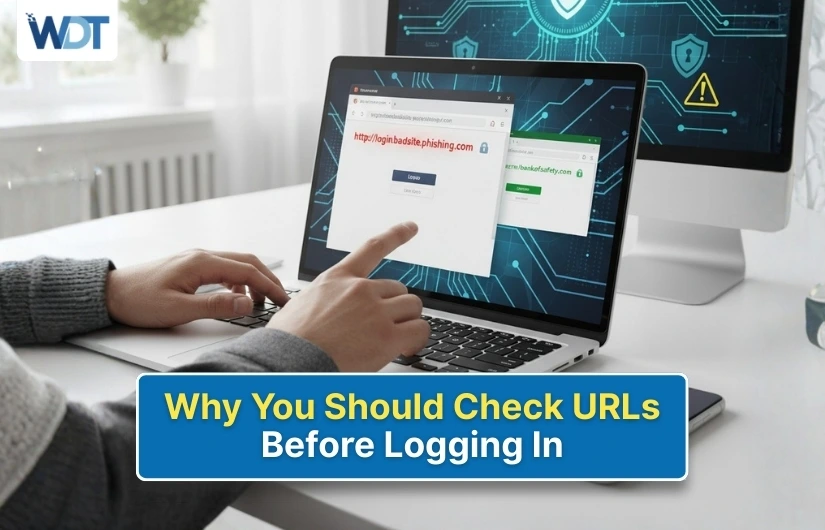
Logging in to websites has become part of daily life. People sign in to email, banking, shopping, work tools, and social platforms many times a day. Most users enter their login details quickly without checking where they are logging in. This habit creates a serious risk.
Many cybercrimes happen because users enter usernames and passwords on fake websites. These sites look real but exist only to steal login details. Checking the URL before logging in is the simplest way to stay safe online.
This blog explains why checking URLs matters and how it protects your personal and financial information.
What Is a URL and Why Does It Matter
A URL is the web address shown in your browser bar. It tells you which website you are visiting.
When you log in, the URL decides:
- Where your login details go
- Whether the site is real or fake
- If your data stays private
A fake URL can send your details straight to criminals without you knowing.
How Fake Login Pages Trick Users
Fake websites are made to look exactly like real ones. Criminals copy logos, colors, and layouts to confuse users.
Common Ways Users Land on Fake Pages
- Clicking links in emails
- Clicking links in messages
- Clicking social media comments
- Clicking ads
- Typing the address wrong
Once on the page, users enter login details without checking the URL.
Why Checking URLs Before Logging In Is Important
A quick URL check can prevent:
- Account hacking
- Money loss
- Identity misuse
- Email access loss
- Social account takeovers
Most online fraud starts with stolen login details. URLs reveal whether a site is safe.
Signs of a Safe URL
A real website follows certain patterns.
What to Look For
- The address starts with https
- A lock icon appears in the browser bar
- The website name is spelled correctly
- No extra numbers or symbols
- No strange words added
These signs show that the site uses encryption and belongs to the correct domain.
Common URL Tricks Used by Fake Websites
Criminals rely on small changes that users miss.
Examples of Fake URL Tricks
- Misspelled names
- Extra letters or words
- Added numbers
- Similar-looking characters
- Long confusing addresses
At first glance, these URLs look real. A closer look exposes the trick.
Why Login Pages Are the Main Target
Login pages give direct access to accounts. Once criminals have your login details, they can:
- Change passwords
- Lock you out
- Access private messages
- Steal saved payment details
- Reset other accounts
That is why fake login pages are more common than fake homepages.
How Emails and Messages Push Fake URLs
Many fake URLs arrive through messages that create urgency.
Common Message Types
- Account warning alerts
- Password reset requests
- Security issue notifications
- Refund failure messages
These messages push users to click links quickly without checking the URL.
Safe Habit
Never click login links in messages. Open the website directly by typing the address yourself.
How Social Media Links Lead to Fake URLs
Fake links often appear in:
- Comments
- Replies
- Direct messages
They may promise:
- Free offers
- Account recovery
- Special access
- Exclusive content
Always check the URL carefully before logging in.
Why Mobile Users Must Be Extra Careful
Mobile screens show shorter URLs. This makes it easier to miss warning signs.
Mobile Safety Tips
- Tap the address section to view the full URL
- Avoid logging in through app browsers
- Use the official app instead
- Zoom in to read the address clearly
Mobile users face a higher risk due to limited visibility.
The Role of HTTPS and Lock Icons
HTTPS shows that the website encrypts data.
Important Note
HTTPS alone does not mean the site is safe. Fake sites can also use HTTPS.
What You Must Check
- HTTPS plus correct spelling
- Correct domain name
- No added words
Both security and accuracy matter.
Why Saving Login Pages Can Be Risky
Bookmarks and saved links may become unsafe over time.
Risks Include
- Website changes
- Redirects
- Expired security certificates
Safe Practice
Access login pages from the official homepage instead of old bookmarks.
What Happens If You Log In on a Fake URL
The results can be serious.
Possible Outcomes
- Immediate account takeover
- Password changes
- Unauthorized transactions
- Data leaks
- Spam sent from your account
Many victims realize the issue only after damage occurs.
What to Do If You Entered Login Details on the Wrong URL
Mistakes happen. Acting fast reduces harm.
Steps to Take
- Change your password immediately
- Log out of all sessions
- Enable login alerts
- Check recent activity
- Scan your device
If financial accounts are involved, contact support right away.
Simple Habits That Keep You Safe
Building habits makes protection easy.
- Always check the URL
- Type website addresses yourself
- Avoid login links in messages
- Use official apps when possible
- Take a second before entering details
A few seconds of attention saves hours of trouble.
Conclusion
Checking URLs before logging in is one of the easiest ways to protect online accounts. Fake websites rely on speed and carelessness. By slowing down, reading the address, and trusting only correct URLs, you protect your personal data, money, and online access every day.