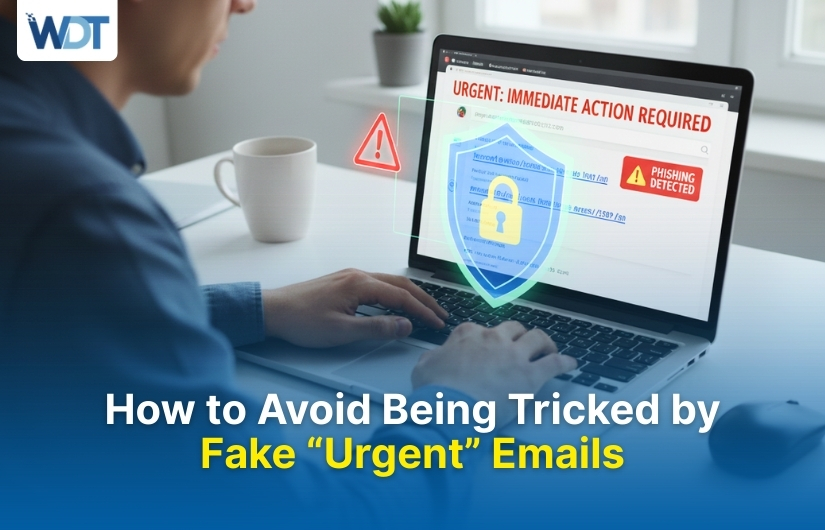
Fake “urgent” emails are one of the most common tricks criminals use to pressure people into making quick mistakes. These emails often claim there is a serious problem with your account, payment, delivery, or security. The message pushes urgency so you act before thinking clearly. Many people fall for these scams because they look professional and arrive at stressful moments. One rushed click can lead to stolen passwords, financial loss, or malware infections. Understanding how these emails work and learning to slow down your response is the key to staying safe. This blog explains the tactics behind urgent emails and how to avoid them.
What Are Fake “Urgent” Emails?
Fake urgent emails are messages designed to create panic or fear so you respond immediately. Criminals want you to click links, download attachments, or reply with sensitive information before you verify anything.
These emails often pretend to come from banks, delivery services, workplaces, or well-known companies. The tone is serious, warning you about account suspension, failed payments, or security threats. The urgency distracts you from noticing small red flags like unusual sender addresses or spelling errors.
The biggest danger is emotional pressure. When people feel rushed, they skip basic safety checks, which is exactly what scammers want.
Why Criminals Use Urgency as a Weapon
Urgency is effective because it overrides logic. When an email claims your account will be locked or money will be lost, your brain switches to panic mode.
In this state, people are more likely to click links without checking them. They also ignore warning signs they would normally notice. Criminals understand human psychology and use fear, deadlines, and consequences to force fast decisions.
Urgent emails also reduce the chance of victims asking others for advice. When you believe there is no time, you act alone, making scams easier to succeed.
Common Types of Fake Urgent Emails
Fake urgent emails follow familiar patterns. Recognizing these patterns makes them easier to spot before damage happens. Some common examples include:
- “Your account will be suspended in 24 hours.”
- “Unusual login detected – verify now.”
- “Payment failed – update billing immediately.”
- “Delivery on hold – confirm your address.”
- “Legal action required – respond today.”
These messages often include countdowns or bold warnings. The goal is not accuracy but speed. The faster you react, the better it works for scammers.
Red Flags That Reveal an Urgent Email Is Fake
Fake urgent emails usually contain subtle signs that something isn’t right. Learning to notice these details can protect you.
Generic Greetings Instead of Your Name
Scammers often use greetings like “Dear Customer” or “Hello User.” Legitimate companies usually address you by name, especially for serious account issues.
Suspicious Sender Addresses
The sender's name may look real, but the email address often contains random letters, misspellings, or unfamiliar domains. This is a common giveaway.
Links That Don’t Match the Brand
Hovering over links often reveals strange URLs. Criminals use links that look similar to real websites but contain extra characters or numbers.
Grammar and Formatting Issues
Urgent scam emails may have awkward sentences, poor grammar, or inconsistent fonts. These mistakes are easy to miss when panic takes over.
Requests for Sensitive Information
Legitimate companies rarely ask for passwords, PINs, or full card details by email. Any urgent request for this information is a strong warning sign.
How Fake Urgent Emails Trick Even Careful People
Even cautious users can fall for urgent email scams under the right conditions. Stress, distraction, and workload all play a role.
Scammers time their emails carefully. They may send messages early in the morning, late at night, or during busy work hours. At these times, people are tired and less alert.
Criminals also copy real email designs. Logos, colors, and layouts look familiar, making the message feel trustworthy. When urgency is added, people assume the email is real and act without verifying.
What Happens After You Click or Reply
The consequences of responding to a fake urgent email can be serious and long-lasting. In some cases, clicking a link leads to a fake login page that steals your username and password. In others, attachments install malware that tracks keystrokes or gives attackers control over your device.
If you reply directly, scammers may continue the conversation, asking for more information or payments. Even one response confirms your email is active, making you a target for future scams.
Simple Steps to Stay Safe from Urgent Email Scams
Protecting yourself doesn’t require advanced technical knowledge. A few habits can dramatically reduce your risk.
- Pause before reacting to urgent messages
- Verify claims by visiting official websites directly
- Never click links or download attachments from unexpected emails
- Check sender addresses carefully
- Contact the company using official contact details
The most important step is slowing down. Urgency is the scammer’s advantage, but time is yours.
How to Handle a Suspicious Urgent Email
When you receive an urgent email that feels off, your response matters. Do not reply, click links, or open attachments. Instead, mark the email as spam or phishing in your email client. This helps improve filtering and protects others.
If the email claims to be from a company you use, open a new browser window and log in through the official website. Check for alerts there. Most real issues will appear in your account dashboard, not just an email.
Teaching Others to Recognize Urgent Email Scams
Awareness reduces risk, not just for you but for everyone around you. Talk to family members, especially older adults and teenagers, about how urgent emails work. Many victims fall for scams because they’ve never been warned.
In workplaces, sharing examples of fake urgent emails can prevent large-scale damage. One employee clicking a link can compromise an entire system. Education is one of the strongest defenses against these scams.
Final Thoughts
Fake “urgent” emails succeed because they manipulate emotions, not technology. Criminals rely on fear, pressure, and rushed decisions to trick people into giving up information or access. By learning how these emails work and recognizing common warning signs, you can protect yourself and others. The key is simple: slow down, verify independently, and never let urgency control your actions. In a digital world full of noise, calm thinking is your best security tool.
FAQs
1. Why do fake urgent emails feel so convincing?
They feel convincing because they copy real company designs and use emotional pressure. Fear of losing access, money, or security makes people react quickly without checking details carefully.
2. Is it safe to click a link just to check what it is?
No, clicking links can expose you to fake websites or malware. Always visit official websites directly by typing the address yourself instead of using email links.
3. Do real companies ever send urgent emails?
Yes, but real companies usually include clear details and never ask for passwords or sensitive data. They also allow you to confirm issues by logging in to your account independently.
4. What should I do if I already clicked a suspicious link?
Change your passwords immediately, run a security scan on your device, and monitor accounts for unusual activity. Acting quickly can reduce potential damage.
5. Can urgent email scams target businesses too?
Yes, businesses are common targets. Scammers send urgent emails about invoices, payroll, or account access, hoping employees will act fast and bypass security checks.